Task Turbo: Keyboard Shortcuts for HubSpot
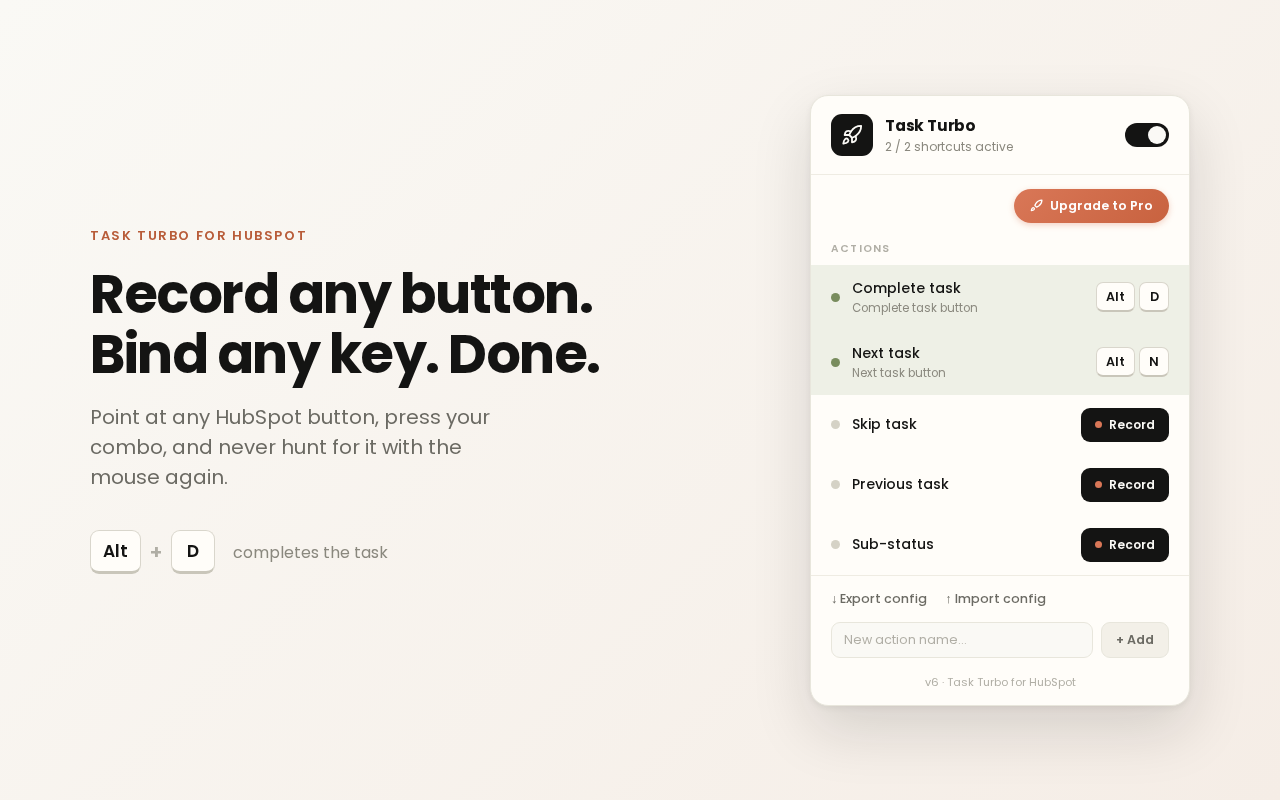
Task Turbo is a free Chrome extension that puts the HubSpot buttons you click all day on keyboard shortcuts. Record a button once, like Complete task or Next task, pick a key combo and press it from then on. Two shortcuts are free. Unlimited shortcuts cost € 4 a month.
Last updated 22 October 2026
One click from the Chrome Web Store. Free for 2 shortcuts; Pro unlocks unlimited at €4/month.
Setup, in three steps
Open HubSpot in any tab
Sign in to your usual HubSpot workspace. The extension activates automatically.
Look for the rocket icon in the bottom-right corner. Click it.
That's your shortcut panel. It only appears on HubSpot pages.
Click "Record" next to an action, click the HubSpot button you want, then assign a key combo.
That's it. Your shortcut is live. Repeat for every button you use daily.
What it looks like
Free vs Pro
Free
2 shortcuts
Perfect for trying it out. Bind your two most-used HubSpot buttons and feel the difference.
Pro
€4 / month
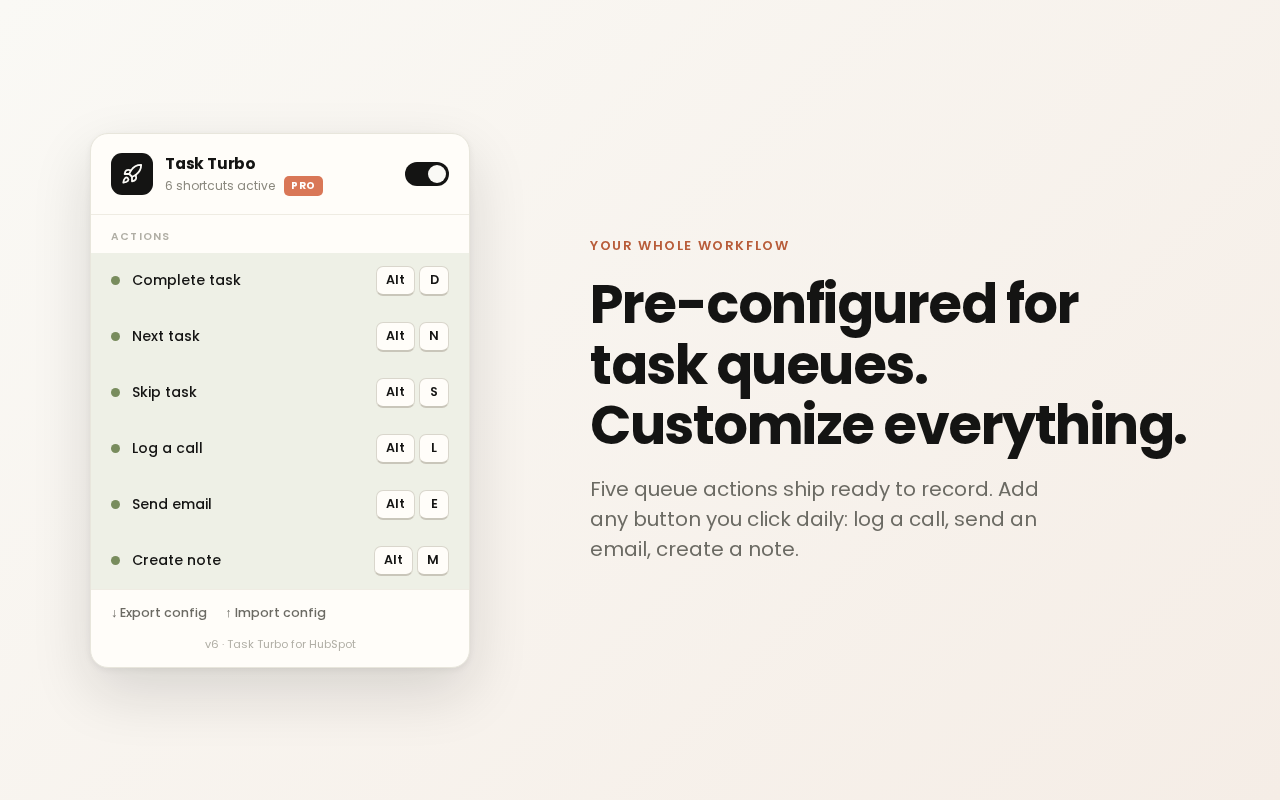
Unlimited shortcuts, plus export and import so your whole team runs the same setup.
Upgrade to ProWhat users say
“REALLY good UI and super easy to set up!”
Justus Lubahn, Chrome Web Store review, 1 July 2026. See all reviews
Guides
Questions
What does Task Turbo do with my HubSpot data?
Task Turbo sends no HubSpot data anywhere. Your shortcuts are stored in Chrome's own storage. Task Turbo has no analytics and no tracking. The only data ever sent is the email address you type in to unlock Pro, which the license server checks against Stripe.
Which HubSpot buttons can I put on a key?
Any button you can click. Complete task, Next task, Skip task, Previous task and Sub-status are ready to record. Add your own for Log call, Create new or anything else you click all day.
Does it work in HubSpot's EU data center?
Yes. Task Turbo runs on app.hubspot.com and app-eu1.hubspot.com.
What happens when HubSpot moves a button?
Record it again. It takes a few seconds and you do not have to wait for an update.
Is there a built-in HubSpot shortcut for Complete task?
No. HubSpot's own shortcuts cover global search (Ctrl+K or Cmd+K). See the full list of HubSpot keyboard shortcuts.
Tip: pin the extension to your toolbar for one-click access.
Get new shortcuts by email
Occasional mail when new Task Turbo features or HubSpot tricks ship. No spam.
Task Turbo is built by Vincent van der Plas. New shortcuts and HubSpot tricks land on LinkedIn first.
Add or follow me on LinkedIn← vincentvanderplas.com